Log In
LeadTruffle Insights
LeadTruffle + Thumbtack: AI Auto Responder for Thumbtack Leads
Connect Thumbtack to LeadTruffle with one click. Our AI auto responder replies to leads directly on the Thumbtack platform so you never miss a job.
Short Answer
tl;dr: LeadTruffle connects directly to Thumbtack and replies in-platform with AI within seconds, so you win shared leads by being first. Setup is one click with no Zapier, and every conversation stays in your unified inbox.
Thumbtack sends millions of leads to home service pros every year. The catch? You’re competing with every other pro in your area, and the first one to respond usually wins the job. Miss a message by an hour and the customer’s already booked someone else. That’s why a Thumbtack autoresponder is essential for any serious pro.
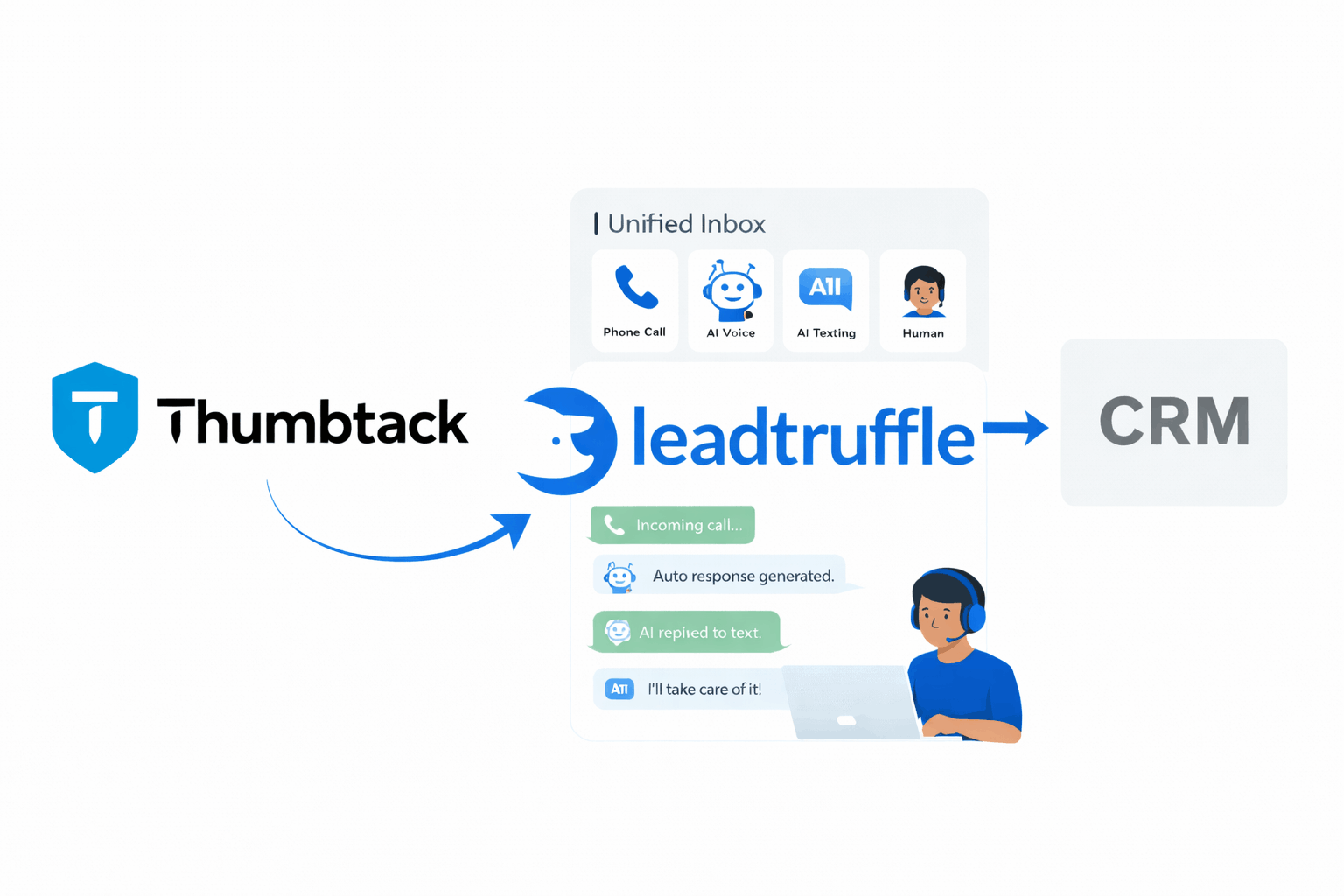
LeadTruffle now integrates directly with Thumbtack’s official API. Connect your account with one click, and our AI auto responder handles new leads the moment they arrive—replying directly inside Thumbtack’s messaging system. No switching tabs. No delayed responses. No lost jobs.
Why the Thumbtack + LeadTruffle Integration Matters
- One-click connection – No webhooks to configure, no URLs to copy. Click “Connect Thumbtack,” authorize your account, and you’re done.
- AI replies on the Thumbtack platform – Unlike other integrations where follow-ups happen via email or SMS, LeadTruffle’s AI responds directly in your Thumbtack inbox. Customers stay on the platform they know.
- Instant response time – Our AI replies within seconds of a new lead arriving. You’re engaging the customer before competitors even see the notification.
- Same AI you already use – The Thumbtack agent uses the same prompt and qualification flow as your website widget, missed calls, and other lead sources. One setup, every channel.
- Unified inbox – Every Thumbtack conversation appears alongside your website leads, Yelp messages, Angi leads, and everything else. One screen, all your leads.
How the Thumbtack Auto Responder Works
- Connect your Thumbtack account: Inside LeadTruffle, go to
/external-integrationsand click the Thumbtack panel. One OAuth click connects your account. - Configure your AI agent: Customize the prompt that controls how LeadTruffle responds to Thumbtack leads. Define your greeting, qualifying questions, and response style.
- Lead arrives on Thumbtack: When a customer requests a quote or sends a message, Thumbtack’s API pushes the notification to LeadTruffle in real time.
- AI responds instantly: LeadTruffle’s AI crafts a response and sends it directly through the Thumbtack API. The customer sees it in their Thumbtack inbox immediately.
- Conversation continues: Every follow-up message flows through LeadTruffle. Your AI handles the back-and-forth, or you can jump in manually at any point.
No Zapier required. This is a direct API integration—Thumbtack approved, real-time, and built for speed.
What Makes This Different from Other Auto Responders
Most Thumbtack automation tools work the same way: they notify you about a lead, and you still have to reply manually. Or they send an SMS/email outside the platform, which feels disconnected to the customer.
LeadTruffle works differently:
Replies Stay on Thumbtack
Your AI response appears in the same Thumbtack thread the customer started. They don’t get a random text from an unknown number. They see a reply from your business, right where they expect it.
True Two-Way Conversation
The AI doesn’t just send one message and stop. It handles the full qualification conversation—asking about project details, timeline, location, and whatever else you need to quote the job.
Manual Takeover Anytime
See a high-value lead you want to handle personally? Click one button to pause the AI and take over the conversation yourself. The AI stays out of the way until you’re ready to hand it back.
Same AI Across Every Channel
Your Thumbtack prompt mirrors your website widget, missed call text-back, and other sources. Train it once, and it works everywhere.
Data That Flows from Thumbtack into LeadTruffle
Every Thumbtack lead arrives with the full context you need to close the job:
Lead Details
- Customer name and phone number
- Service category (e.g., “House Cleaning,” “Plumbing Repair”)
- Location with city, state, and ZIP code
- Full address for booking types
Project Information
- Detailed job description from the customer
- Interview answers from Thumbtack’s lead form
- Schedule preferences and timeline
- Photos and attachments when provided
Thumbtack Metadata
- Lead ID for reference
- Lead type (Instant Book, Contact, Request a Quote, etc.)
- Pricing info when applicable
- Source attribution for your reporting
Step-by-Step: Connecting Thumbtack to LeadTruffle
1. Open External Integrations
Go to app.leadtruffle.com/external-integrations and find the Thumbtack panel.
2. Click Connect
Hit the “Connect Thumbtack” button. You’ll be redirected to Thumbtack’s authorization page.
3. Authorize LeadTruffle
Log into your Thumbtack account and approve the connection. Thumbtack will send you back to LeadTruffle automatically.
4. Configure Your AI Agent
Go to the Thumbtack Leads section to customize your AI prompt. Define:
- Your greeting message
- Questions to ask (project details, timeline, address, etc.)
- Response tone and style
- When to suggest booking or next steps
5. Enable Automation
Toggle the AI agent on. From now on, every new Thumbtack lead gets an instant response.
6. Monitor in Your Unified Inbox
All Thumbtack conversations appear in /conversations with a Thumbtack badge. You’ll see the full thread, AI status, and lead details in one view.
The Unified Inbox Experience
Here’s what working with Thumbtack leads looks like in LeadTruffle:
- Thumbtack badge – Instantly spot which leads came from Thumbtack
- Full conversation thread – Every AI message and customer response in one view
- Lead details panel – Customer info, project details, and qualification status
- Manual takeover toggle – Pause the AI and reply personally whenever you want
- CRM sync – Push qualified leads to Jobber, Housecall Pro, HubSpot, or your preferred system
No more checking Thumbtack separately. No more missing messages. Everything lives in one place.
Best Practices for Thumbtack AI Responses
Respond to the Specific Request
Thumbtack tells you what service the customer needs. Reference it directly: “Thanks for reaching out about your plumbing repair” beats a generic “Thanks for contacting us.”
Keep It Short
Thumbtack customers are often contacting multiple pros at once. Get to the point. Ask one or two questions, not five.
Ask for Specifics
The more details you get, the better your quote. Ask about project size, timeline, and access (especially for jobs at their home).
Offer a Clear Next Step
End with something concrete: “Would Tuesday or Wednesday work better for a quick estimate?” gives them an easy way to move forward.
Set Up Notifications
Get a push notification or email when high-intent Thumbtack leads come through. Some jobs deserve a personal touch.
Real-World Use Cases
-
House cleaner: A “Move-Out Cleaning” request comes in at 7 PM. LeadTruffle’s AI responds in 30 seconds, confirms the home size and move-out date, and offers available times—all while you’re eating dinner. You wake up to a booked job.
-
Handyman: Customer asks about “TV Mounting” while you’re on another job. The AI asks how many TVs, wall type, and preferred date. By the time you check your phone, the lead is qualified and ready to schedule.
-
Plumber: Emergency leak request at 6 AM. The AI responds immediately, asks about the issue severity, and offers your earliest opening. Speed wins when pipes are bursting.
-
Painter: Lead requests an estimate for “Interior Painting—4 rooms.” The AI asks about room sizes, current wall condition, and color preferences. Your estimator gets a complete brief before making the first call.
Frequently Asked Questions
Do I need Zapier for this? No. This is a direct integration using Thumbtack’s official API. One-click OAuth connection, no third-party tools required.
Does the AI reply inside Thumbtack’s messaging? Yes. Responses go directly through the Thumbtack API and appear in your Thumbtack inbox. Customers see replies right where they sent their request.
Can I still reply manually? Absolutely. Use the manual takeover toggle to pause the AI for any conversation. Reply yourself, then re-enable the AI when you’re done.
What if I want the AI to stop after the first message? You can configure the AI to send just an initial response and then wait for you to take over. Customize the behavior in your agent settings.
Will historical leads import? Thumbtack’s API doesn’t expose a “list all leads” endpoint. The integration captures new leads going forward. You can manually import specific conversations using the negotiation ID if needed.
Does this work with multiple Thumbtack business profiles? LeadTruffle currently connects to the first business on your Thumbtack account. Contact support if you manage multiple profiles and need help configuring them.
Ready to Connect Thumbtack?
- Go to app.leadtruffle.com/external-integrations and find the Thumbtack panel.
- Click “Connect Thumbtack” and authorize your account.
- Configure your AI agent with your greeting and qualifying questions.
- Enable automation and watch leads get handled instantly.
Stop losing Thumbtack jobs to faster competitors. LeadTruffle’s AI auto responder replies in seconds—directly on the platform—so you’re always first.
Questions about setup? Email support@leadtruffle.com and we’ll help you get connected.