



 Log In
Facebook Messenger + Meta Lead Ads
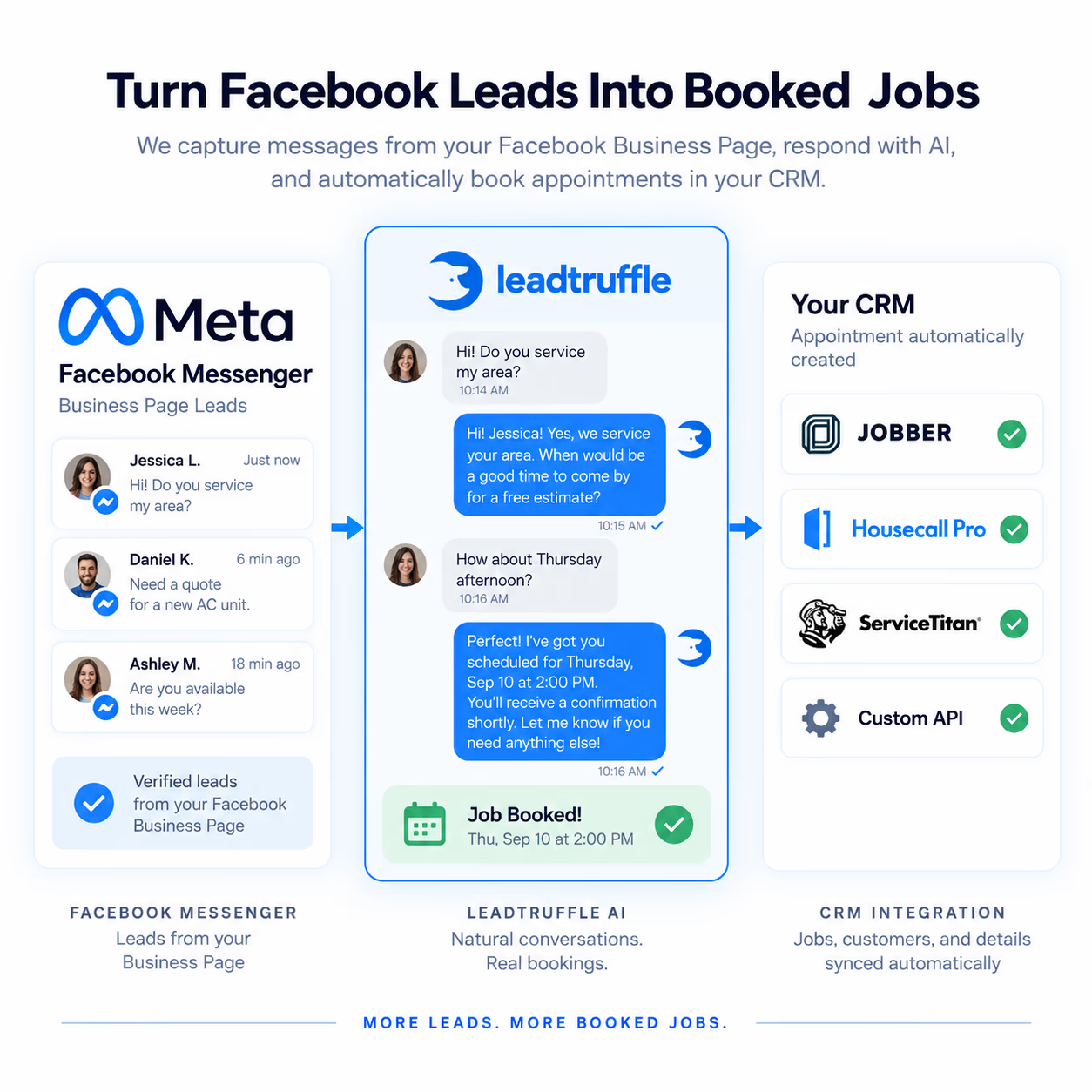
Answer Messenger inquiries with AI and your team
Respond to Facebook Page Messenger conversations with AI, native message history, and manual takeover. Also capture Facebook and Instagram Lead Ads for team follow-up and configured CRM workflows.
- Reply to Messenger inquiries with AI or take over manually
- Review native Messenger history in your unified inbox
- Capture Lead Ads directly for team follow-up and CRM workflows
- Keep Meta source details with each inquiry
Quick Answer
tl;dr: Handle Facebook Page Messenger conversations with AI replies and manual takeover. Direct Meta Lead Ads capture adds contacts and inquiries for your team and CRM workflows. AI SMS for Lead Ads requires a separate approved setup.
Call Connect · Automatic calls for new leads
Turn new Lead Ads forms into a team call
Call Connect can ring your team for eligible new Facebook and Instagram Lead Ads form submissions with a callable phone. Enable Meta forms and choose active hours. Your employee hears the details and presses 1 before the customer is called. Messenger conversations and historical imports do not trigger these calls. Regular voice credits apply.
See how Call Connect worksMessenger replies
Let AI answer Facebook Page messages or take over manually while the Messenger reply window is open.
Direct Lead Ads capture
New Lead Ads submissions arrive as contacts and inquiries for your team to review and follow up. Direct capture does not send automatic SMS.
Ad performance + CRM context
Review spend, clicks, and attributed leads from connected Meta ad accounts. Keep Meta source details with your inquiries for configured CRM workflows.
Need AI SMS for Lead Ads?
A separate approved Zapier/webhook workflow can send opted-in Lead Ads contacts into LeadTruffle for AI SMS qualification. It requires account enablement, an active 10DLC number, and an approved opt-in setup. Ask our team to configure this workflow if SMS is your priority; direct Meta capture alone does not enable it.
For a separate DIY approach using Zapier and your SMS provider, see our Meta form follow-up tutorial.
FAQ
Can I see Meta ad performance in LeadTruffle?
Yes. With access to a connected Meta ad account, you can review Meta-reported spend, impressions, clicks, attributed leads, and campaign performance for the selected period. Availability depends on your account permissions and Meta data. Meta-attributed leads are separate from won contacts or invoice revenue.
Do I need Zapier to connect Meta leads?
No. Messenger and Lead Ads capture connect directly to Meta. Automatic SMS for Lead Ads is a separate approved Zapier/webhook workflow, not part of direct capture. Our team can help choose the right setup.
Can my team reply to Facebook Messenger messages?
Yes. Manage Facebook Page Messenger conversations in the LeadTruffle inbox with AI replies and manual takeover. Replies are subject to the Meta 24-hour messaging window.
What happens when a Meta lead form is submitted?
The direct Meta connection captures new Facebook and Instagram Lead Ads submissions as contacts and lead inquiries for your team to review and follow up.
Does direct Lead Ads capture include automatic SMS?
No. The direct Meta Lead Ads connection captures contacts and inquiries; it does not automatically qualify them by SMS. Teams that need AI SMS can ask us to configure a separate approved Zapier/webhook workflow. That requires account enablement, an active 10DLC number, and an approved opt-in setup.
Does this only work for Facebook, or can I combine channels?
You can combine Meta Lead Ads and Facebook Page Messenger conversations with website chat, missed calls, Google LSA, Yelp, Thumbtack, and Angi in one unified inbox.
What happens when a lead is ready for a human?
Your team can jump into any conversation immediately with full context, then continue the handoff through your CRM workflow.
See Messenger Replies and Lead Ads Capture
Talk through Messenger, direct Lead Ads capture, or a separately configured SMS workflow.