Log In
LeadTruffle Insights
Angi Leads for Contractors: Costs, Credits, and How to Evaluate ROI
Understand Angi lead costs, shared leads, subscription terms, and current credit rules. Use a practical checklist to decide if the channel fits your business.
Quick Answer
tl;dr: Angi leads can be worth testing when the projects match your services, your team can follow up, and the cost of acquiring completed paid jobs fits your margins. A lead is a connection with a homeowner, not a guaranteed job. Evaluate your own quote, account terms, and results before committing more budget.
The most helpful questions are the ones that involve doing something practical: What will make a charge, what work will you get, what will happen if a lead is invalid, and how many jobs will the spend generate?
What are Angi leads?
Angi matches homeowners to service professionals. The pro gets contact and project data on the lead and should work to win the job.
Older resources may use the HomeAdvisor or Angie’s List names. Don't assume that because you've found a product and an agreement that's similar to the one you had a long time ago, it is the same one in today's market.
Are Angi leads shared?
Yes. Angi’s current FAQ says it matches each project request with no more than five pros. That does not mean all five will compete for the job or that you’ll win one out of five requests.
Leads versus Opportunities
Automatic leads and Opportunities have different budget mechanics. Angi states that Opportunities are in addition to the automatic monthly Lead Budget. Make sure to understand the fee and what you are agreeing to before accepting or showing interest.
The interest of the homeowner, the interest of the pro, and the type of account will impact when a connection is a charged lead.
Set up an Angi business profile for the work you want
Set up your profile with accurate business details and a clear description of the projects you handle. Make it easy for homeowners to understand what you do, where you work, and what happens next.
According to Angi’s profile editing instructions, app users go to Account, then Edit profile; on the website, go to My business, then Business profile. Update the sections available to your account and save each change.
Fill out the sections that apply to your business:
- Identify services and types of projects to evaluate.
- Keep contact numbers and operating hours up to date.
- Include correct licensing and insurance details as required.
- Include actual photos of projects with context and permission.
- Be clear in your estimate or assessment.
Show work that’s relevant to the projects you want. For example, a roofing contractor can include completed replacement projects, while a cleaning company can explain what its recurring service includes.
Build credible proof on the profile
After the job, ask for honest feedback through the review process available in your account. Respond professionally to criticism. Don’t write a review on a customer’s behalf or pay for an endorsement presented as an independent customer review.
Show work done in project photos and descriptions. Describe the scope and context; don't post the customer's address or other identifying information without permission. An actual finished project is more beneficial than an unsupported claim that you're the area's best contractor.
Set tasks and territory before accepting automatic leads
Choose tasks and ZIP codes that match your services, travel time, and minimum job size. Don’t select every task just to increase lead volume.
If leads keep coming in for work you can’t do, review your task settings and ask Angi about available changes. Keep a dated record because settings may change after a lead arrives.
The editing controls vary depending on the type of account. Angi's app and site alert to task restrictions, ZIP code changes, and budget restrictions. If a control is not present, check permissions, rather than assuming that the setting is not possible to change, and then consult Customer Care.
Prepare your team before turning on lead flow
Designate a first responder and a backup. Send notifications only to people who will act on them, protect account access, and decide who can accept paid Opportunities.
A phone notification that reaches someone who can’t safely answer is not the same as a lead being handled. Agree on a backup and handoff process before the first paid lead.
How much do Angi leads cost?
Angi does not have a single public tariff for all contractors. According to its guideline, costs may depend on the service required, the geographical area of the homeowner, and demand.
Published price ranges may not reflect your actual offer, total commitment, or optional Opportunities.
What to check in the quote
| Item | Question to ask |
|---|---|
| Lead fee | What will the relevant project types cost? |
| Subscription or membership | Is there a recurring charge or prepaid commitment? |
| Automatic leads | What budget and service settings apply? |
| Opportunities | What additional spending can my team authorize? |
| Renewal and cancellation | What dates, notice rules, and fees apply to this offer? |
| Credits | Is this account type eligible, and under what conditions? |
Keep the offer and contract. Confirm the fees, renewal terms, cancellation notice, and any remaining balance for your specific account.
Angi's bill guidance explains subscription, non-subscription, and Opportunity billing. Review the terms for your account before accepting paid leads or Opportunities.
Compare pay-per-lead and subscription terms
The headline lead price is not the only factor that is influenced by the type of account. Look at the overall commitment, control of settings, and existing credit eligibility.
| Decision | Pay-per-lead arrangement | Annual subscription arrangement |
|---|---|---|
| Spend commitment | Confirm the automatic-lead budget and optional purchases | Read the agreed recurring commitment and term |
| Budget changes | Self-service controls may be available | Changes may require Customer Care |
| Lead settings | Check the available tasks and ZIP controls | Some controls require assistance |
| Invalid-lead concerns | Check eligibility under the current credit policy | Current help says subscription leads do not receive credits |
| Exit | Confirm any applicable terms | Check cancellation, renewal, and any termination fee |
These are questions to settle about your offer. If the commitment, control, or credit terms don’t fit your business, a lower quoted price may not be the best option.
Manage the monthly budget and optional spending
Angi’s monthly-budget guide says pausing and resuming leads during the same cycle does not reset the budget. Opportunities are billed in addition to the monthly budget.
You can find the monthly budget under My Business on the website and Account in the app. Options for changing it depend on your account type, so confirm the controls available to you with Angi.
Implement an approval rule for optional purchases. For instance, when an Opportunity is accepted, make the office manager review the service fit, project location, fee and capacity available. This is a recommended spending limit, not a requirement of Angi.
Ensure that all charges, credits, periodic charges and accepted Opportunities are reconciled. The budget line in the account is not an entire acquisition-cost report.
Check renewal and cancellation before signing
Note the length of the contract, its renewal date, notice provisions, price change clauses, and any early termination fee from the contract documents that are provided to you. Save the version you accepted.
Angi directs pros to contact Customer Care to cancel. Confirm what will stop, when it will stop, and any balance due. Keep the confirmation and check for later charges.
Pausing flow of lead, ending optional purchases, and ending an agreement are separate actions. Take action according to your intention.
How to decide whether the channel is profitable
Monitor all spending on acquisition and the jobs it creates. Add periodic fees and sales time as relevant and do not double count prepaid lead value.
Cost per lead = cost of lead acquisition / number of leads received.
Cost per booked appointment = acquisition spend / booked appointments.
Cost per paying customer = acquisition spend ÷ customers who completed paid work.
Suppose you spend $1,000 and receive 20 leads. If 8 become appointments and 4 become paid jobs, your cost per lead is $50, per booked appointment is $125, and per paying customer is $250.
The four jobs have $2,000 in direct delivery costs, before acquisition spend and overhead. To calculate contribution or profit after the $1,000 acquisition cost, you also need the revenue collected for those jobs. These figures are illustrative only, not Angi averages or LeadTruffle customer results.
Do not assume a universal close rate
Shared-lead count doesn't actually give you the winning percentage. Fit of the service, homeowner readiness, appointment availability, estimate quality, and follow-up can all impact results.
Determine what you are measuring. A booked estimate is not a completed job or an accepted quote or payment collected.
Follow the same time interval and give longer projects closing time. Keep emergency repair work and remodeling work distinct and do not cover up one with the other.
What are the current Angi credit rules?
According to Angi's help page (last updated Aug 14, 2026), credits won't be given to annual subscription leads, though they may be reported.
For eligible non-subscription accounts, the lead must be less than 45 days old, you must have attempted to call the homeowner within 24 hours of receiving it, and your account must be in good standing. Credits apply to future lead charges and expire after six months.
Possible reasons include invalid contact information, the wrong location, a service mismatch, a duplicate lead, or a charge while leads were paused. Not winning the job is not a reason for a credit. The existing Angi credit policy.
Act promptly as an operational target, but do not include the operational target in Angi's documented credit requirements. Ensure contact attempts and project evidence are kept organized and review the current policy prior to submission.
Prepare a useful credit request
Identify the lead, the problem, and evidence that supports that problem for an account that is currently eligible under the policy. Maintain the original service request, service coverage at the time, contact attempt and any duplicate reference.
Follow Angi's credit guide in the web workflow: open the lead, choose Request lead credit, select the reason, and submit it. Angi says it will review a request within five business days.
Monitor requested, pending, approved and rejected quantities. If a credit is granted, record it, instead of assuming it is money recovered whenever a credit is requested.
If a homeowner has not received an estimate, or has made a decision on another contractor, calculate the sales outcome on its own. Do not claim that the lead is bogus without substantiating proof.
Build a reliable Angi lead-response workflow
A helpful first response acknowledges the project and asks one relevant question, such as where the work is located or when the homeowner would like to discuss it.
“Hi Jordan, this is Alex from Clearview Heating. I saw your Angi request for AC repair. Is the system completely down?”
Use a message like this only when it fits the homeowner’s request and the contact channel’s rules. Don’t ask for information the homeowner already provided.
Throughout the discussion gather scope, location, timing and additional information required to determine the opportunity for an appointment. Be sure to clearly state when a booking is confirmed and who will follow-up.
Use a follow-up sequence with a clear purpose
Angi advises you to call in 15 minutes. That is a response recommendation, apart from its present credit-eligibility timing.
A sequence that would work well is this:
- Identify yourself and your company, then acknowledge the project using the contact method permitted for that lead.
- Try the call and provide known project information to avoid starting over with the homeowner.
- Leave a short message with a clear call back/reply if contact cannot be made.
- Wait an appropriate amount of time before following up. Don’t repeat the same message; ask whether the project is still active only when that’s useful.
- When an estimate is sent, you will agree on a time frame in which you will follow up and record the next step.
- Pause or close the lead if the homeowner declines, the work is outside your scope, or further contact isn’t appropriate.
The time should be appropriate for the service. An emergency plumbing call might require instant attention, whereas a remodeling opportunity can require an evaluation and future proposal meeting. Neither can be done with just one cadence.
Don’t automatically add every Angi contact to ongoing marketing. Keep responses to active service requests separate from longer-term marketing, and respect the customer’s preferences and consent.
Qualify the next step rather than interrogating the homeowner
Work on information provided and request missing information. Verify service fit and service location, schedule, and the next step: callback, service assessment, estimate, or booking.
For a small repair, explain the next step and expected timing before asking a long list of sales questions.
Commitments are specific – an estimate appointment is not an installation appointment, and an auto-generated message is not a confirmation that a crew has been sent.
Keep call requests visible
Some homeowners provide preferred call times through Angi Assistant. Angi says this information is not passed through CRM API integrations, so check the lead in Angi when the timing matters.
Connect Angi leads to your CRM or response platform
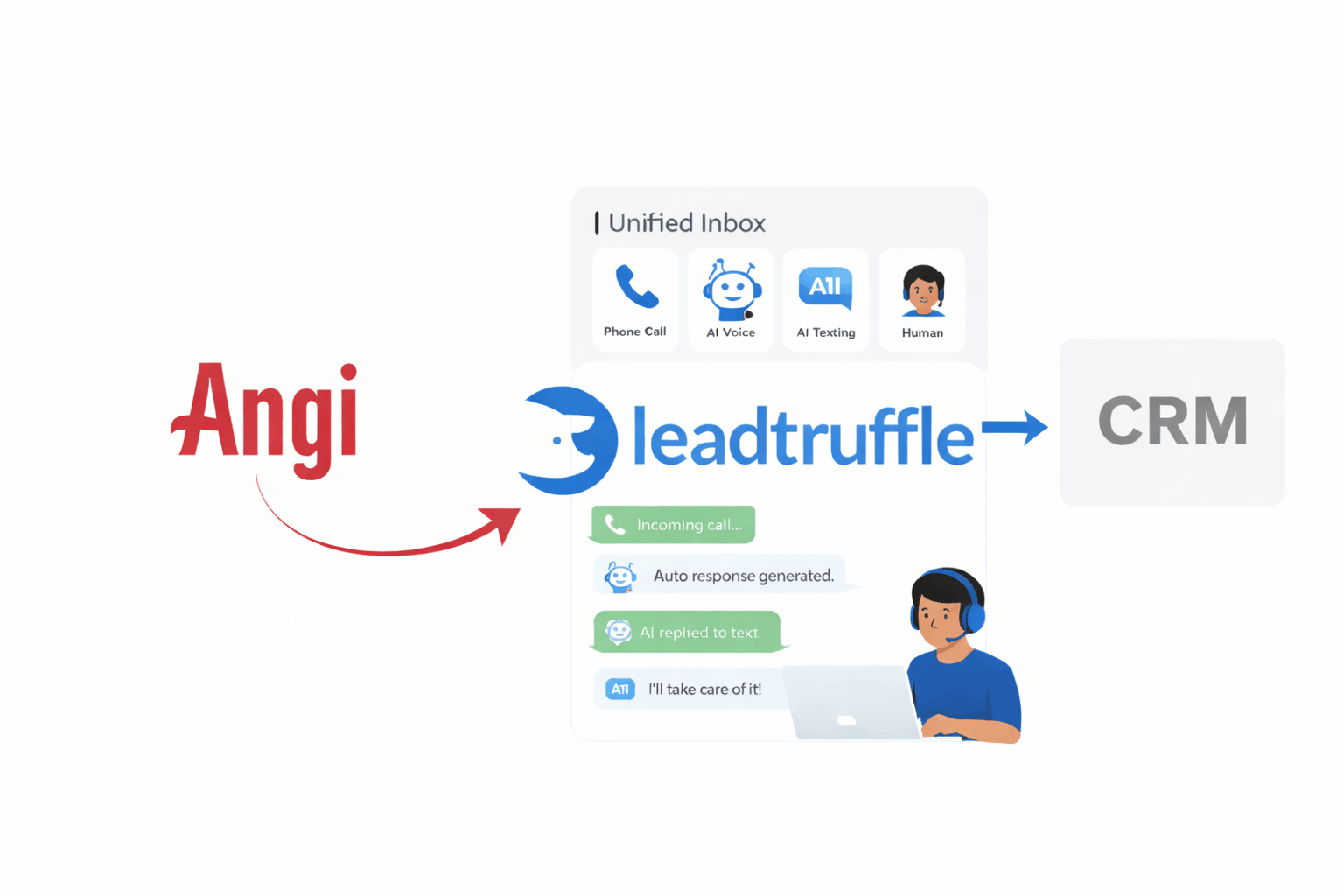
Angi’s CRM/webhook setup guide asks for your company ID, connection email, unique webhook URL, a key if applicable, and a receiving system that accepts its JSON format. Angi’s integrations team completes the remaining setup.
LeadTruffle’s Angi webhook workflow can capture and process incoming inquiries.
Test one lead before using it. Verify source attribution information, contact information, project details, duplicate processing, follow-up action, staff takeover and any CRM booking action. When a field is not included, do not assume that the connection carries all the fields; instead, examine the source payload.
Phone forwarding handles incoming calls; it does not replace the integration that delivers Angi project inquiries. For other inbound calls, see LeadTruffle’s AI lead qualification and missed-call text-back tools.
Test the response process from the Angi lead to qualification and booking.
Compare Angi with other lead sources
| Channel | What to evaluate |
|---|---|
| Angi | Shared-project competition, account terms, lead fees, and actual paid jobs |
| Google LSA | Eligibility, valid-lead charges, verification, and handling workflow |
| Google Search Ads | Search intent, targeting, landing pages, and customer acquisition cost |
| Organic search | Content quality, local visibility, maintenance effort, and results over time |
| Referrals and repeat customers | Consistency, customer experience, and time spent generating follow-up work |
Compare lead sources using the same definitions for cost, response, bookings, and completed paid jobs. Competition varies by source, so review each program’s terms.
Use the same funnel definitions and cost measures across channels. The Google LSA guide explains how that service is set up and how its lead-credit rules differ.
What historical complaints tell you and what they do not
In 2023, the FTC announced a proposed order requiring HomeAdvisor to pay up to $7.2 million over deceptive lead-marketing claims. That action is relevant to due diligence, but it does not measure the quality of every current Angi inquiry.
Keep up-to-date promises in writing and check against results. An unstructured sample does not allow for a contractor success rate to be established and online reviews can suggest questions to ask.
Run a controlled test before expanding
Before accepting the first lead, set a maximum test spend, an acquisition-cost ceiling, and a review date.
Write down all inquiries, answers, appointments, jobs completed and payments made. Remember to factor in fees and optional purchases when working out the test's expense.
When reviewing the test, check where leads were lost. Poor service fit may indicate a targeting issue; unanswered requests may point to a handling problem; estimates that don’t become jobs may need a different sales process.
If the economics are unclear, pause expansion. Pausing or disconnecting leads does not cancel a subscription; check your agreement.
Use a test scorecard
Record every inquiry, including leads that don’t become jobs, so the conversion rate reflects the full test.
| Field | What to record | Why it matters |
|---|---|---|
| Lead and source | ID, date, task, area, automatic or optional | Connects the charge to the request |
| Acquisition cost | Lead charge and allocated fees, net of granted credits | Shows the real cost |
| Handling | First useful response, call attempts, owner | Reveals follow-up gaps |
| Qualification | Service fit, project location, timing | Separates targeting from sales issues |
| Appointment | Offered, booked, attended, cancelled | Shows where the booking funnel breaks |
| Sales result | Estimate, won/lost reason, completed paid work | Avoids treating appointments as revenue |
| Economics | Collected revenue, direct costs, acquisition cost | Supports a contribution-based decision |
Review service fit and lead handling weekly. Let the cohort mature before judging financial results, and account for longer sales cycles on remodeling projects.
Compare the channel with other uses of the same time and budget. A channel can be profitable without being your best available investment.
Troubleshoot common Angi lead problems
| Problem | What to inspect | Practical response |
|---|---|---|
| Requests do not match your work | Original task and configured services | Correct settings or ask support; assess credit eligibility separately |
| Projects are too far away | Project address and selected territory | Adjust coverage for future requests |
| Homeowners do not answer | Response timing, message quality, preferred call times | Use a relevant follow-up and record the outcome |
| Staff miss notifications | Account contacts, access, device alerts, backup owner | Test delivery and responsibility |
| Unexpected spend | Optional Opportunities, recurring fees, billing cycle | Reconcile the invoice and tighten approval controls |
| Budget or task control is missing | Admin permissions and account type | Use support when the plan requires it |
| Duplicate outreach | Angi automation, CRM automations, staff actions | Assign one response owner and test the combined workflow |
| Leads reach Angi but not the CRM | Integration status, payload, field mapping | Trace a specific test lead end to end |
| Bookings do not become paid work | Assessment, estimates, scheduling, sales follow-up | Fix the failed stage before raising spend |
Don’t try to solve every problem by adding more project categories. More volume can also bring in work that doesn’t fit your team or margins. Fix the specific issue before expanding.
Decide whether to continue, adjust, or stop
Continue if mature results meet your acquisition-cost and contribution goals and fit your team’s capacity.
If you find a fixable problem, such as a difficult task, slow response, or poor appointment availability, change one thing, document it, and test the result.
If the economics don’t work or the jobs exceed your capacity, stop expanding. To end an agreement, follow its cancellation process; turning off notifications or pausing leads does not cancel a financial commitment.
When pausing new acquisition, continue handling open estimates and existing customers. Evaluate the lead source separately from service already promised.
Angi leads FAQs
Is Angi free for contractors?
Don’t assume a listing or account is free. Ask what you’ll be charged for leads and optional Opportunities, and whether the offer requires a recurring commitment.
Does Angi charge if I do not win the job?
An Opportunity is not a guaranteed project. Angi says it can become a charged lead when both the homeowner and pro show interest in connecting, even if the homeowner hires someone else. Check the fee and terms before showing interest.
How many contractors receive the same request?
Angi’s current FAQ says each project request is matched with no more than five pros.
Can annual subscribers get credits for bad leads?
Annual subscription leads are not eligible for credits under Angi’s current help policy. You can still report concerns to Customer Care.
What is a good Angi close rate?
There is no universal rate that's known to work or not. Compare the number of jobs paid for to all leads acquired and compare the acquisition cost with your margins.
Can AI make Angi leads more profitable?
AI may help with intake, timely replies, reminders, and routing, but there is no guaranteed improvement in profitability. Results depend on lead fit, staff availability, pricing, follow-up, and setup.
Make every inquiry accountable
There’s no single right choice. Compare Angi with other channels using the same reporting method, and evaluate service fit, account terms, and completed-job economics.
Discover LeadTruffle's Angi response workflow and schedule a demo.